Learning
Best YouTube videos for 3D printing beginners (2026)
Nine short videos for the first week: what the printer is doing, a first PLA print, a slicer, and how to read a bad first layer. No livestreams and no hour-long courses.
Updated September 2026 · Videos first, then the printers we already score
How to use this list
These are single videos, in the order to watch them. A channel subscription is a different page: best YouTube channels for 3D printing beginners. Use that when you want a creator to follow after a small PLA part has already finished. Runtimes below were checked in September 2026. Creators trim uploads, so treat a minute either way as normal.
Choose the printer before you collect videos. If you are still deciding, read which 3D printer to buy as a beginner. A hard cap belongs in the under-$300 guide. A cap near $500 is the under-$500 guide. The enclosed P1S is just over that cap, which the page says plainly. The earlier shorter version is the 2026 under-$500 page. A small apartment is the enclosed, apartment-friendly guide. Miniatures are a different buying question in the miniatures and tabletop guide, and PETG or ABS belongs in the engineering-filament guide. If the short list is already a brand argument, use Bambu Lab versus Creality before you let a review video settle it. The model-level version of that fight is A1 Mini vs Ender 3 V3 SE.
Print the file that came with the machine before you change a profile. Then watch one slicer video for the software you will actually open, and stop. Search the symptom (a bad first layer, stringing, a part that will not stick) instead of a whole catalog. Proper Printing is not on this list: the short videos on that channel are experiments and old kit builds, which are a later watch, not a first week.
We do not score these videos, and a subscribe button is not an affiliate link. The printer cards under the list use the same Amazon links as the beginner and budget guides. Check those pages for the live price.
Videos worth a beginner's first week
In watch order. Each one stays under about 15 minutes. Print something small before you finish the list.
- Watch on YouTube
0114:48
The Beginner 3D Printing Guide I Wish I Had
CNC Kitchen
Stefan Hermann uses this for a first afternoon: skim the quick-start, never let the filament end slip under itself, and print the model that came with the machine before you slice anything of your own. He explains PLA, PETG, ABS, and TPU without a materials chart, including why silk and glow-in-the-dark PLA are poor first spools. The back half is the failure list to keep: a dirty plate, a blob on the nozzle, stringing from wet filament, and a clog.
Caveat
The demo printer is a Bambu Lab A1, and he mentions the CNC Kitchen shop near the start. The habits transfer to other brands. The on-screen buttons do not. He also prints PLA in a separate room because of fumes and particles. Follow your printer's manual for where the machine sits.
- Watch on YouTube
028:46
What layer height should you use? 3D Printing Mastery
Maker's Muse
Angus Deveson explains the slicer number beginners change too early. A coarser layer is faster and stair-steps curves. A finer layer spends time on vertical walls that did not need it. A 0.4 mm nozzle, the size on most first printers, cannot usefully print a layer as tall as the nozzle itself. He shows OrcaSlicer's adaptive layer height for the day you already have one boring, successful print.
Caveat
This is the second video in his Mastery series, and the screens are OrcaSlicer. Remember the idea (about 75% of the nozzle diameter as a ceiling, 0.2 mm as the normal start). Do not hunt for his exact menu if your slicer is Bambu Studio or Creality Print.
- Watch on YouTube
032:56
Intro: Overview of Bambu Studio
Bambu Lab
Bambu's own clip is the short tour of the slicer that ships with an A1, A1 Mini, P1, or X1. It covers move, rotate, lay a face on the bed, slice, and send, plus MakerWorld as the place to grab a first model. Watch it before you install a second slicer on a Bambu machine.
Caveat
It assumes a Bambu account and a printer already on your network. It is a map of the window, not a lesson in profiles. If you do not own a Bambu, skip it and use the OrcaSlicer video.
- Watch on YouTube
0414:26
Beginner's guide to slicing (using OrcaSlicer) - 3D Printing Mastery
Maker's Muse
A model is not a print until software turns it into paths the nozzle can follow. Angus installs OrcaSlicer, picks one printer and one PLA preset, stays on the simple settings, and reads the preview (walls, infill, time, and grams) before sending the file. That preview is how you catch a print that will fail before the machine starts.
Caveat
The demo printer is a Snapmaker U1 with four toolheads, so the filament-slot buttons are his machine. He also notes that a Bambu may need Bambu's network plugin, and that newer Bambu printers may not talk to OrcaSlicer at all. Start in the manufacturer's slicer. Open Orca when you want one program for more than one brand.
- Watch on YouTube
0514:34
Bed levelling for beginners to achieve a perfect first layer
Teaching Tech
Michael Laws teaches what level means: the bed parallel to the nozzle, and a gap that lets the first line squish instead of drag or float. He shows a test pattern and the difference between lines that are too high, too low, and usable. The video also says when auto bed leveling still needs a Z offset, which is the part that survives on a 2026 machine.
Caveat
Uploaded in 2020. The knob-and-paper procedure is for a bed you tram by hand. A Bambu, or a Creality with a probe, will not show those menus. Use the pictures of a good first layer, then run your printer's own calibration.
- Watch on YouTube
064:47
Better First Layer and Bed Level Fixes on 3D Printers
CHEP
Chuck Hellebuyck's Filament Friday clip is the fix after the concept. Finger oil on the bed leaves bare spots, and a wipe with isopropyl alcohol is the habit before a print. He shows a smooth first layer that actually stuck, on a real part rather than a diagram.
Caveat
The printer on screen is a Creality Ender 3 V2, and the settings he mentions are Cura. Do not paste an old profile into a 2026 machine. On a PEI sheet, hot water and dish soap (the wash in the CNC Kitchen video) often matters as much as alcohol. Chuck's description also says not to leave an alcohol bottle mounted next to a hot printer.
- Watch on YouTube
0711:39
Using Skirts To Get A Perfect 1st Layer When 3d Printing
ModBot
A skirt is a few loops of filament around the part, printed first. Daniel uses those loops to confirm the nozzle is actually extruding, and to see whether the line is sticking, before the model starts. That is the right use of a skirt when you can still adjust a manual bed, and it is still a useful prime on a machine that draws nothing before the part.
Caveat
The slicer on screen is Cura 4.5, and he prefers turning knobs by hand. The setting lives under build-plate adhesion in OrcaSlicer and Bambu Studio, with different labels. If your printer already draws a purge line and probes the bed, do not copy his three-loop default just because the video did.
- Watch on YouTube
0812:23
How a 3DBenchy can tell where your 3D prints need improvement
Teaching Tech
After the included file finishes, print a 3DBenchy and use this to read it. Stringing, the hull, the chimney, and the overhangs point at cooling, temperature, or flow, which is more useful than a giant torture print that takes hours. Michael also explains why the little boat became the standard test, so the object stops looking like a random download.
Caveat
The Thingiverse counts in the video are from around 2021. The boat is still the right second print. Do not open the firmware because one Benchy is imperfect. Compare it with the example he calls good enough, then change one thing.
- Watch on YouTube
099:23
3D Printing 101: 5 Tips from the Community!
3D Printing Nerd
Joel Telling collects five habits that still hold: learn the parts of your machine, flex a plate instead of chiseling a print off, watch the first line until you can see a good one, buy ordinary known-good PLA before bargain filament, and learn the names of the parts so a help request is specific. It is the video for the week after the first success, when the temptation is to buy upgrades.
Caveat
Recorded around 2020, with a Brilliant sponsorship in the middle and an Ender 3 that did not auto-level as the example. Skip the sponsor segment. Keep the flex-plate and filament advice.
Best beginner printers to buy while you learn
Watch the list first. These are the machines we already score for someone who is still on a first PLA spool. The full comparison is which 3D printer to buy as a beginner and the under-$300 guide. Prices below are the ones in our FDM guide. Check Amazon for what they cost today.
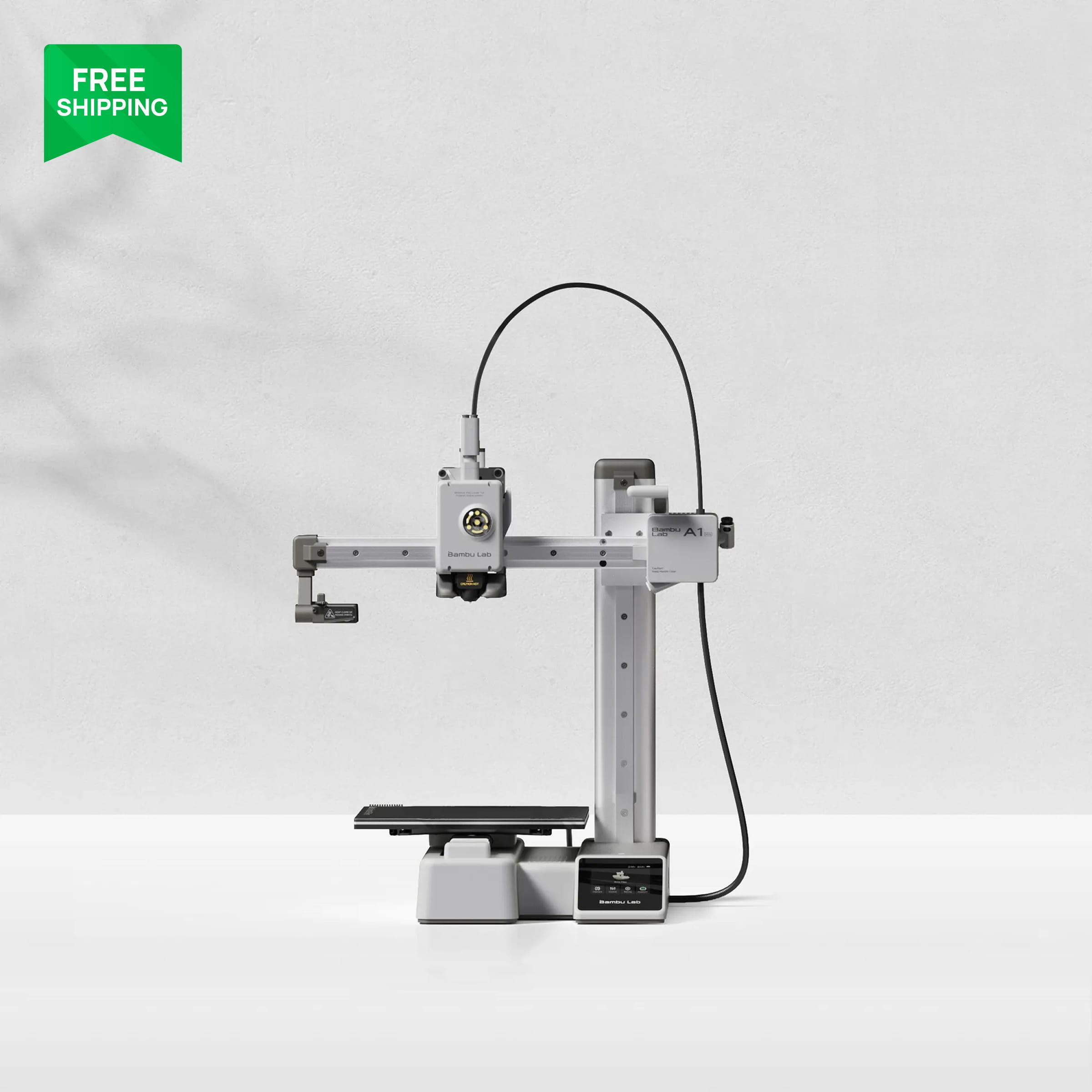
Bambu Lab A1 Mini
$199 typical $219
The first printer we would hand someone who is about to watch this list. It auto-calibrates, so the first week is the videos and a PLA part, not a weekend of bed knobs. The 180 mm bed is the limit.
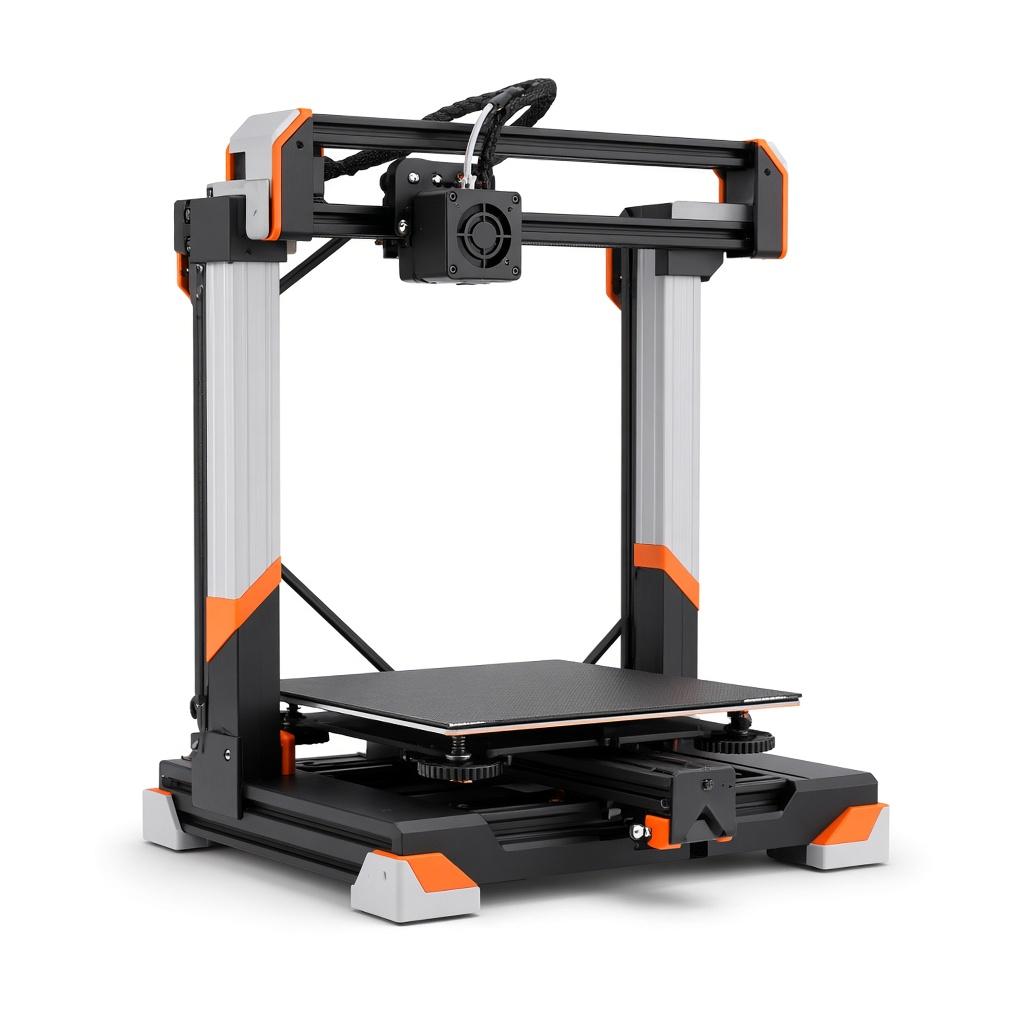
Creality Ender 3 V3 SE
$179 regular $199
The $199 path if the leftover money is for a PEI plate, a dryer, and filament. The CHEP and Teaching Tech videos match this kind of machine. Expect more setup than the A1 Mini.
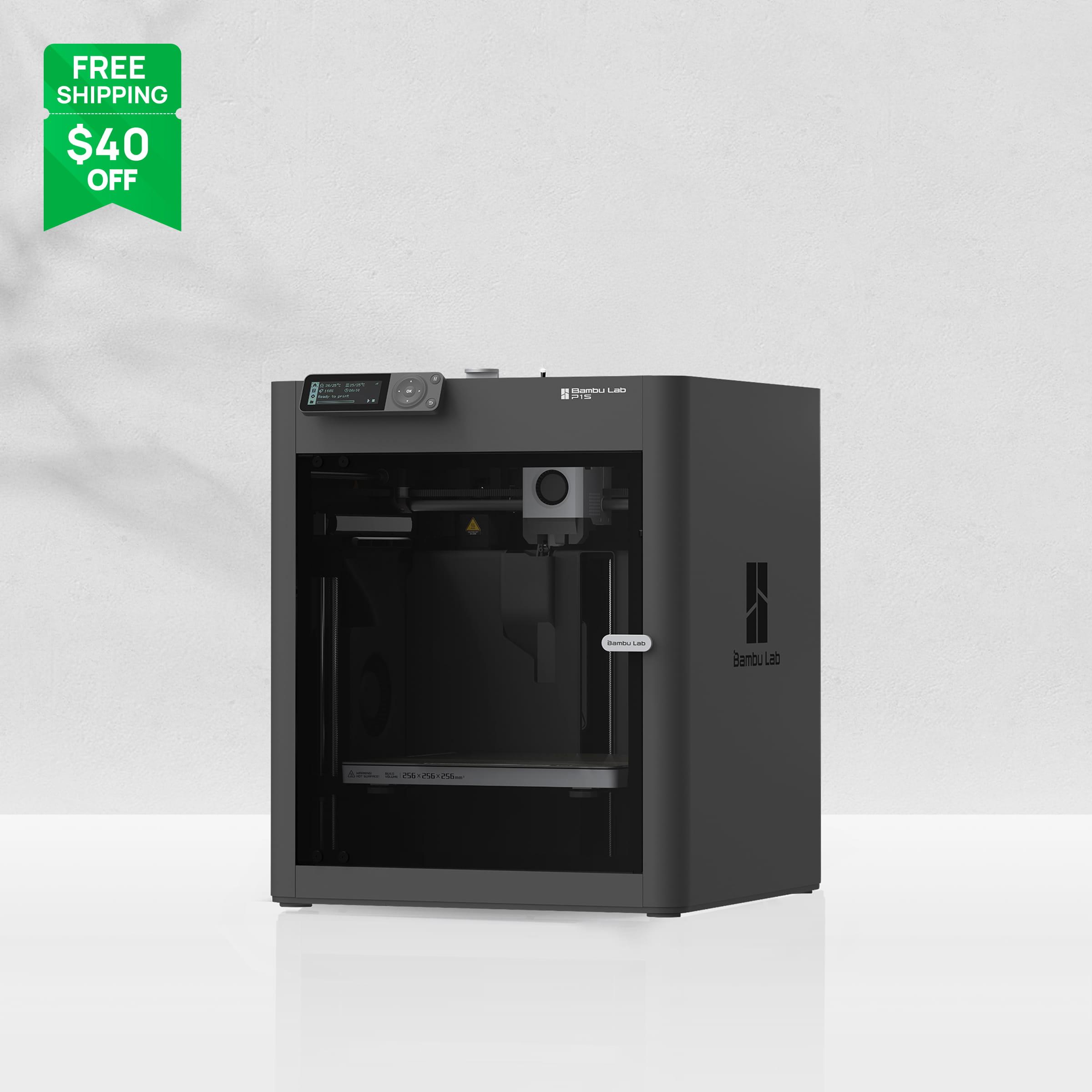
Bambu Lab P1S
$349 typical $399, combo pricing varies
The enclosed step up when the desk is in a shared room or the parts will not fit a 180 mm cube. It is the better all-rounder and a worse impulse buy while you are still finding out if you like printing.
Who should skip these printers
Skip the Bambu Studio clip if the printer is not a Bambu
Intro: Overview of Bambu Studio is a two-minute map of that app. It will not set up Cura, Creality Print, or PrusaSlicer. Use the OrcaSlicer video instead.
Skip Teaching Tech's bed-level video as a procedure
The 2020 knob method is wrong for a printer that probes the bed. Watch it for the picture of a good first layer, or skip it and keep the CHEP clip, which is about a dirty plate.
Skip ModBot's skirt video if you are copying numbers
The idea (prime the nozzle, then start the part) is the lesson. The Cura 4.5 line count is not a setting to type into a 2026 profile.
Who it's not for
This is a first-week watch list of specific videos. It is not a printer scorecard, a resin guide, or a Klipper course. Proper Printing is absent on purpose: the short videos there are experiments and older kit builds, and that channel belongs on the channels guide after a plain PLA print already finishes. If you are still choosing a machine, use the beginner, budget, apartment, or miniatures guides.
Frequently asked questions
- What YouTube video should a complete beginner watch first?
- CNC Kitchen's The Beginner 3D Printing Guide I Wish I Had, about 15 minutes. Then print the file that came with the printer before you open the rest of this list.
- Which video teaches the slicer?
- If you bought a Bambu, watch Bambu Lab's Intro: Overview of Bambu Studio (2:56), then Maker's Muse on OrcaSlicer when you want one slicer for more than one brand. Everyone else can start with the OrcaSlicer video and skip the Bambu clip.
- Do I still need a bed-leveling video in 2026?
- You need to know what a good first layer looks like. Teaching Tech shows that on a 2020 manual printer. A machine that probes the bed still fails when the plate is oily, which is the four-minute CHEP video.
- Why is there no hour-long course on this list?
- A first week dies in the settings menu. These nine videos each stay under about 15 minutes. The channels guide is where to subscribe once a small PLA part has finished.
- Which printer should I buy while I watch these?
- The Bambu Lab A1 Mini, if you want the first print to be the file that came in the box. The Ender 3 V3 SE is the budget pick when you want the cheaper, more hands-on machine those older bed-level videos were filmed on. The P1S is the enclosed step up. The beginner and under-$300 guides are the full comparison.
Related 3D printer guides
Best YouTube channels for 3D printing beginners (2026)
Eight real channels for setup, slicer basics, and troubleshooting. Watch them in an order that matches the printer you are about to buy.
Best 3D Printer for Beginners (2026), by Budget
The best 3D printer for beginners is the machine that matches the money you will actually spend. The beginner 3D printer 2026 choice is setup time, bed size, and an open frame versus a closed one. A tight budget buys time on the printer. A desk budget buys auto-calibration. An enclosure is a step up, not a fee for starting.
Best 3D Printer Under $300 in 2026
The best 3D printer under 300 dollars is a two-machine list in our scores. The A1 Mini fits only while Amazon stays at or under $300. The Ender 3 V3 SE is the one that is usually under $200. The P1S is not in this budget.
Best 3D Printer Under $500 in 2026
The best 3D printer under 500 dollars in our scores is the A1 Combo, while Amazon stays under the cap. The P1S at $549 is the step-up above the line, not the winner.
Bambu A1 Mini vs Creality Ender 3 V3 SE
A1 Mini vs Ender 3 V3 SE is a $100 decision between a printer that calibrates itself and a cheaper, larger bed that expects you to learn the machine.
Best Quiet, Enclosed 3D Printer for an Apartment
The best enclosed 3D printer for a shared wall is a closed machine. A quiet, apartment-friendly alternative is the small open printer if you only print PLA.
Best FDM 3D Printer for Miniatures and Terrain
The best 3D printer for miniatures and tabletop work is an FDM machine with a steady first layer. On resin vs FDM, resin still wins the tiniest sculpt.
The best 3D printer for PETG, ABS, and engineering filaments
The best 3D printer for PETG, ABS, and engineering filament is enclosed, and the spool has to be dry. Abrasive blends still need a hardened nozzle.